Kivy Designer
Kivy builds touch interfaces in Python. MatDeck's designer places Kivy widgets on a screen and writes the KV language and the Python that loads it. The layout and the code stay in one place.
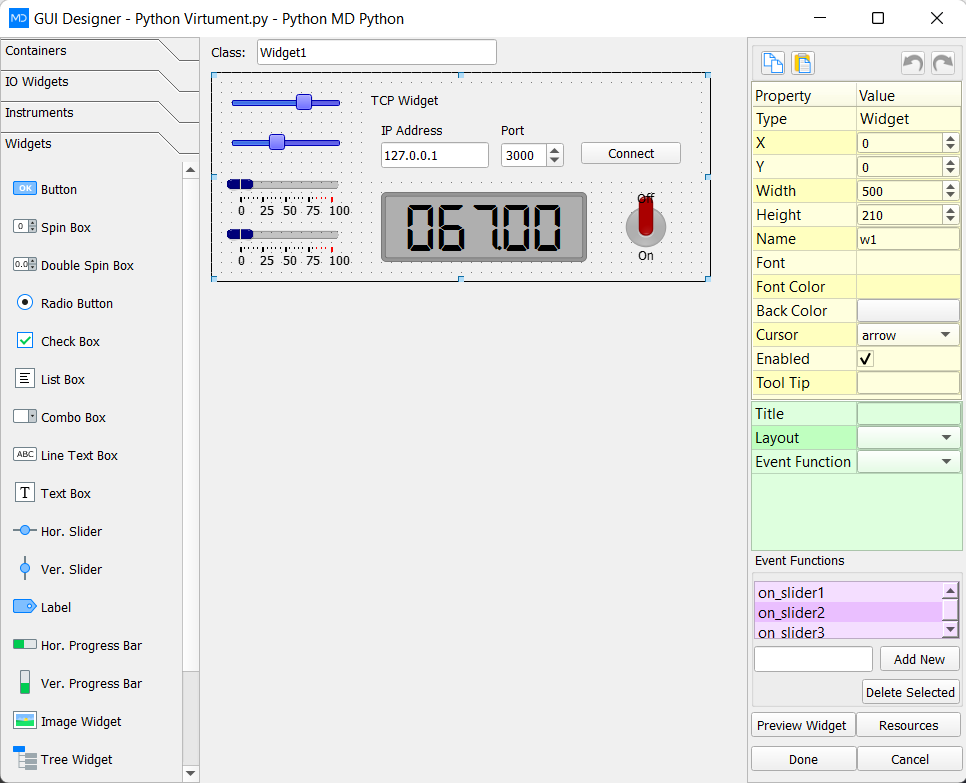
The LabDeck Kivy UI designer is the full tool. The 12 products here split the job: screens, KV export, a widget catalog, layouts, touch events, a screen manager, canvas drawing, RecycleView lists, charts, themes, a mobile preview and a packager. Each one ships in 14 versions.
A list or a chart can point at a MatDeck vector, so the Kivy screen shows the same numbers as the sheet. Packaging uses that generated Python rather than a second layout you have to keep identical by hand.
Products in this group (12)
- Kivy Screen Designer — Lay out Kivy screens visually and keep the generated Python.
- KV Language Exporter — Write the KV language for the screen you just laid out.
- Kivy Widget Catalog — Buttons, labels, inputs and layouts ready to drop on a screen.
- Kivy Layout Manager — Box, grid and anchor layouts that resize with the window.
- Kivy Touch Events — Touch, press and release handlers written next to the widget.
- Kivy Screen Manager — Named screens and the transitions between them.
- Kivy Canvas Toolkit — Instructions, shapes and live drawings on a Kivy canvas.
- Kivy RecycleView Lists — Long data lists that recycle rows instead of building every widget.
- Kivy Chart Widgets — Line and bar charts embedded in a Kivy screen.
- Kivy Theme and Atlas Pack — Colours, fonts and an image atlas for the next Kivy project.
- Kivy Mobile Preview — Preview the screen at phone size before you package it.
- Kivy App Packager — Package the designed Kivy app for desktop or a device.